
OSC Controller
Professional 3D spatial audio & DAW control surface for iPhone and Mac.
Turn your iPhone into a low-latency hardware-grade controller for Pro Tools, Dolby Atmos Renderer, Soundminer, Logic Pro and Reaper. OSC Controller sends Open Sound Control over local Wi-Fi; the OSC Bridge menu bar app on your Mac turns it into CoreMIDI CC messages.
Download OSC Bridge (DMG)App Store link coming soon
Key features
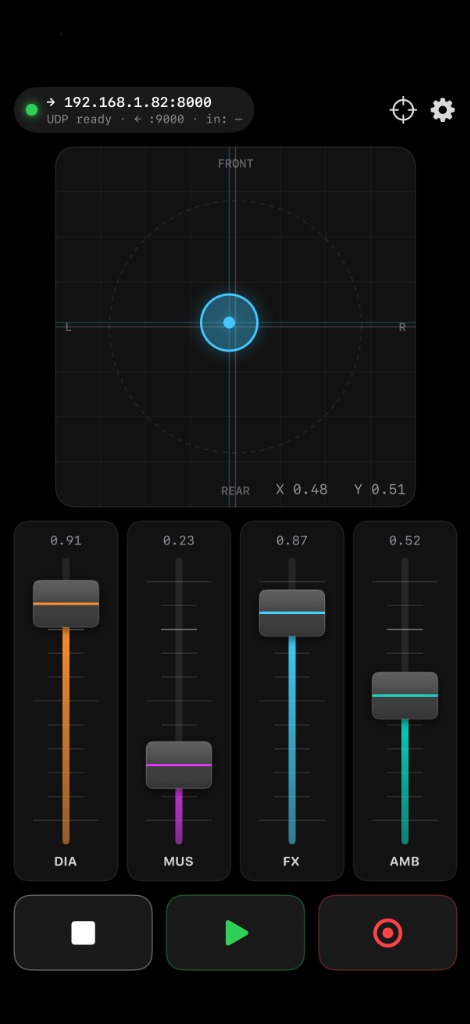
3D spatial audio & Dolby Atmos XY panner
- High-precision pad sends normalized /pan/x and /pan/y coordinates (0.0 – 1.0).
- FRONT / REAR and L / R guides aligned with standard Dolby Atmos layouts.
- One-tap re-center to (0.50, 0.50).
4 precision stem faders
- Relative drag: touching a fader never causes a sudden level jump on your buses.
- Color-coded DIA / MUS / FX / AMB stems with a monospaced level readout.
Tactile transport
- Play, Stop and Record fire on touch-down, cutting 80–150 ms of perceived latency.
- Haptic feedback confirms each trigger without looking at the screen.
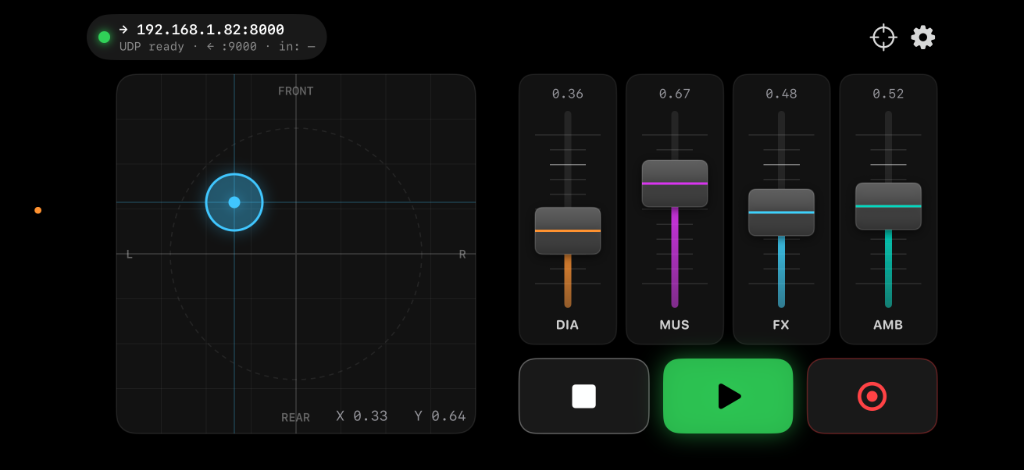
Portrait & landscape
- Vertical for mobile monitoring, horizontal for a full console surface with side-by-side stems.
Companion app: OSC Bridge for macOS
For DAWs that don't listen to raw UDP OSC (such as Pro Tools and Soundminer), OSC Bridge is a native menu bar app.
- Zero configuration, lives in the menu bar.
- Creates a system-wide virtual CoreMIDI port named "OSC Controller".
- Live traffic monitor with an activity LED.
- One-click copy of your Mac's local IP for the iPhone app.
Default MIDI mapping
| Control | OSC address | MIDI | Range |
|---|---|---|---|
| XY Pan Horizontal | /pan/x | CC 16 | 0 – 127 |
| XY Pan Vertical | /pan/y | CC 17 | 0 – 127 |
| Stem Fader 1 (DIA) | /fader/1 | CC 20 | 0 – 127 |
| Stem Fader 2 (MUS) | /fader/2 | CC 21 | 0 – 127 |
| Stem Fader 3 (FX) | /fader/3 | CC 22 | 0 – 127 |
| Stem Fader 4 (AMB) | /fader/4 | CC 23 | 0 – 127 |
| Transport Play | /transport/play | CC 24 | 127 / 0 |
| Transport Stop | /transport/stop | CC 25 | 127 / 0 |
| Transport Record | /transport/record | CC 26 | 127 / 0 |
Downloads
iOS (iPhone)
Requires iOS 17.0 or later
App Store link coming soonQuick setup
- Put your iPhone and Mac on the same 5 GHz Wi-Fi network.
- Launch OSC Bridge on your Mac. It shows your Mac's local IP in the menu bar.
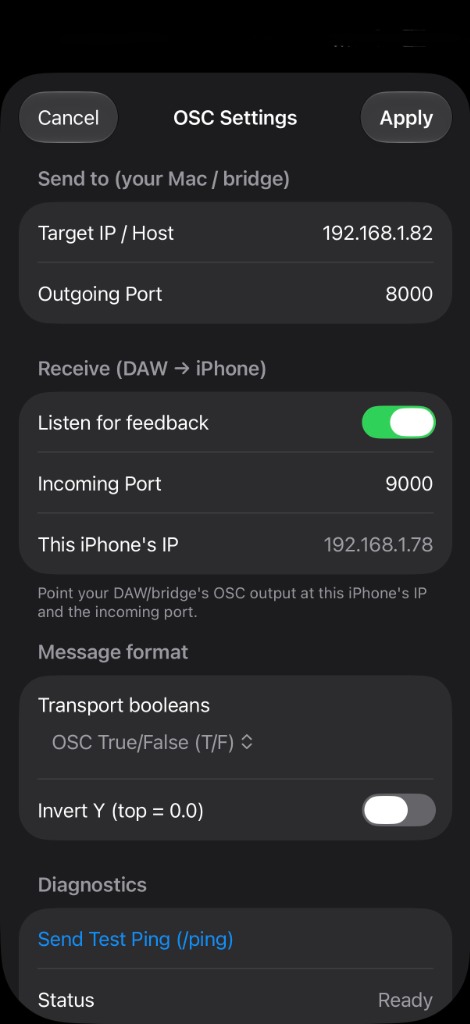
- In OSC Controller tap the gear icon, enter that IP as Target IP / Host, set the port to 8000 and tap Apply.
- Pro Tools: Setup → Peripherals → MIDI Controllers, choose HUI or M-Audio and set Receive From to OSC Controller. Soundminer / synths: right-click a parameter, choose MIDI Learn and move a fader.
Privacy
OSC Controller and OSC Bridge do not collect, track, store or transmit personal data, analytics or telemetry. All traffic stays on your local Wi-Fi network, directly between your phone and your computer.
Support: ct@cemtuncer.co.uk